调试Podfile
Cocoapods 是如何解析 Podfile 的
简单来说,Podfile 文件里所写的就是一段 ruby 代码, 这段代码是通过大多脚本语言都有的 eval 方法来执行的。
# ruby
x = eval '1 + 2 + 3'
puts x # 6
# python
x = eval('2 + 2 + 3')
print x # 7
// JavaScript
let x = eval('1 * 2 * 3')
console.log(x) // 6
具体可以看这篇文章的手动解析 Podfile部分
调试 Podfile
既然 Podfile 中的代码在 pod install 过程中被调用,那么肯定可以进行调试。
- 安装用于调试的 debugger :
gem install pry如果你是通过
bundle来管理工程用到的gems的,那么你需要将gem 'pry'添加到你的Gemfile文件中,并执行bundle install --verbose - 在
Podfile的开头引入 debugger :require 'pry' - 在想要插入断点的地方添加调试:
binding.pry
Podfile 文件如下
require 'pry'

platform :ios, '11.0'

target 'poddebug' do
  use_frameworks!
  pod 'Moya'

end

post_install do |installer|
  binding.pry
  installer.pods_project.targets.each do |target|
    target.build_configurations.each do |config|
      config.build_settings['DEBUG_INFORMATION_FORMAT'] = 'dwarf'
      config.build_settings.delete 'IPHONEOS_DEPLOYMENT_TARGET'
      config.build_settings['ONLY_ACTIVE_ARCH'] = 'YES'
    end
  end
end
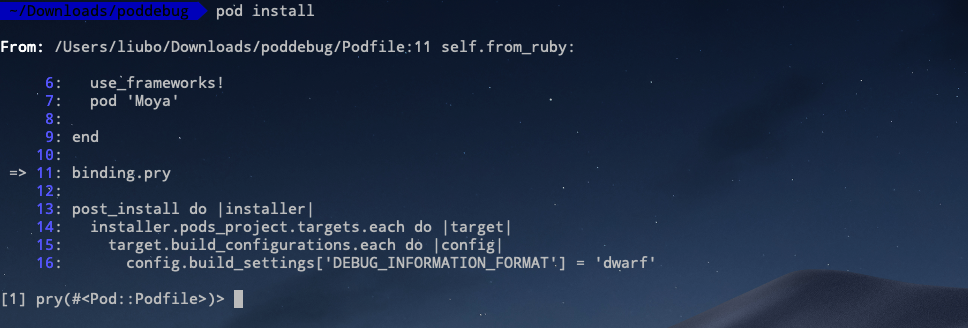
执行 pod install后,就断点在 binding.pry 所在的那一行
实战操作
如上面 Podfile 中所写的那样, 要对 pod proejct 中的每个 target 的每个 configurations 的 build settings 进行修改。
那这段代码是怎么来的呢,当然你可以通过查看 xcodeproj 的文档写出这段代码,但有些情况下文档中缺少了一些东西,并没有对一些东西进行说明。那么此时就可以通过调试 Podfile 写出写段代码。
我是谁,我在哪
首先断点在了 binding.pry,所以这意味着什么,此时此刻我是谁我在哪,我该做什么。为了解决这个问题,我需要看一下我周围都有什么东西,也就是当前调用栈中都有哪些东西。
使用 ls 命令可以得到当前上下文可用的 方法、实例变量、常量、本地变量、实例方法、类变量 等等。
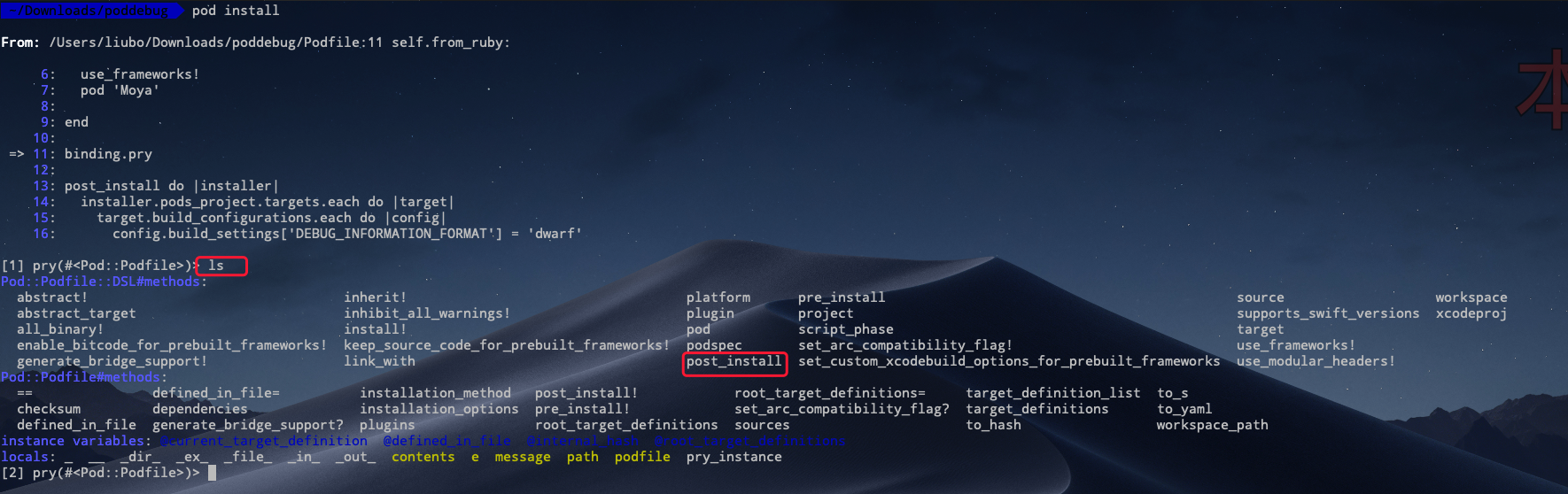
要进行上述修改,我需要在 pod install 完成后再进行修改,以免我的修改被意外地覆盖。所以上面的 Pod::Podfile::DSL#methods: 的 post_install 方法应该是符合我们需求的。所以在 Podfile 中调用试试看
你是谁
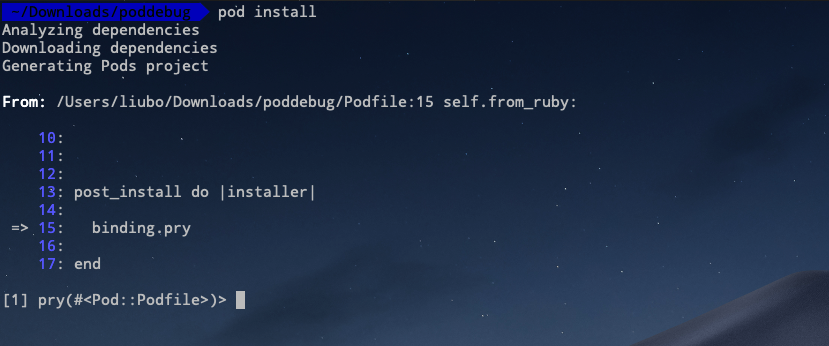 图中的
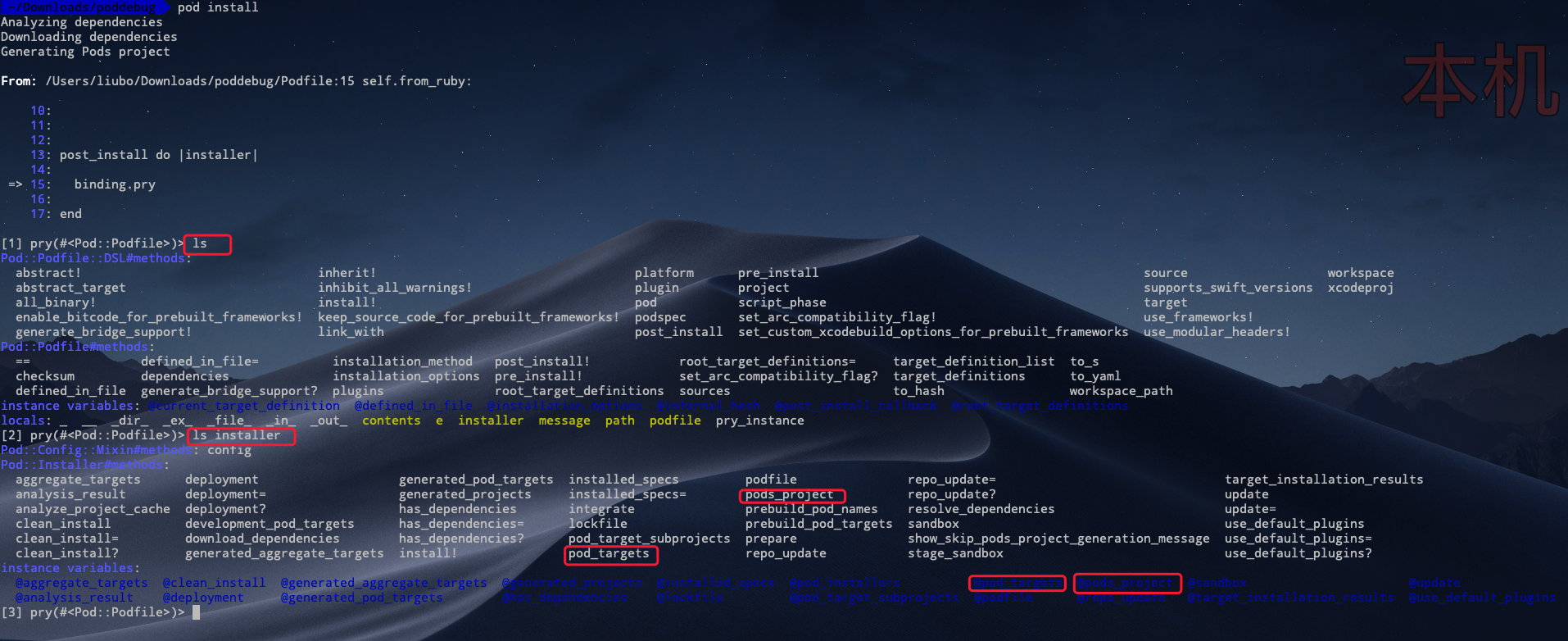
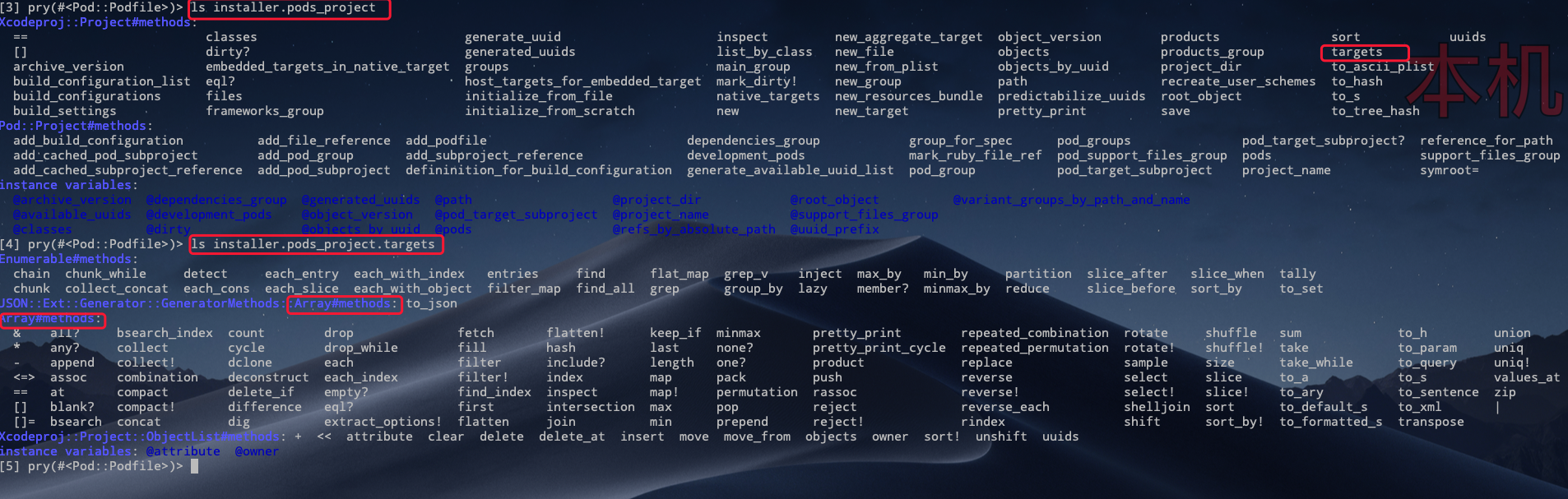
图中的 installer 是 post_install 的回调闭包的参数,同样的使用 ls 命令来看一下这个 installer 具体是个什么东西
- 使用
ls查看当前上下文, 得到installer变量 - 使用
ls查看这个installer,得到installer变量可用的方法和实例变量 - 通过 2 知道 installer 有名为
pods_project和pod_targets的方法和实例变量,那么两个实例变量里存放的是什么呢?
pods_project
pod_targets

从上面两个图可以猜测 installer.pods_project.targets 和 installer.pod_targets 应该是同一个东西.
分别进行打印

额,结果跟猜测的不一样。那应该用哪个呢?接着往下看,现在拿到了 targets, 下一步要拿到 target 的 configuration, 既然拿到了 targets 数组,我们只取其第一个元素来进行探测
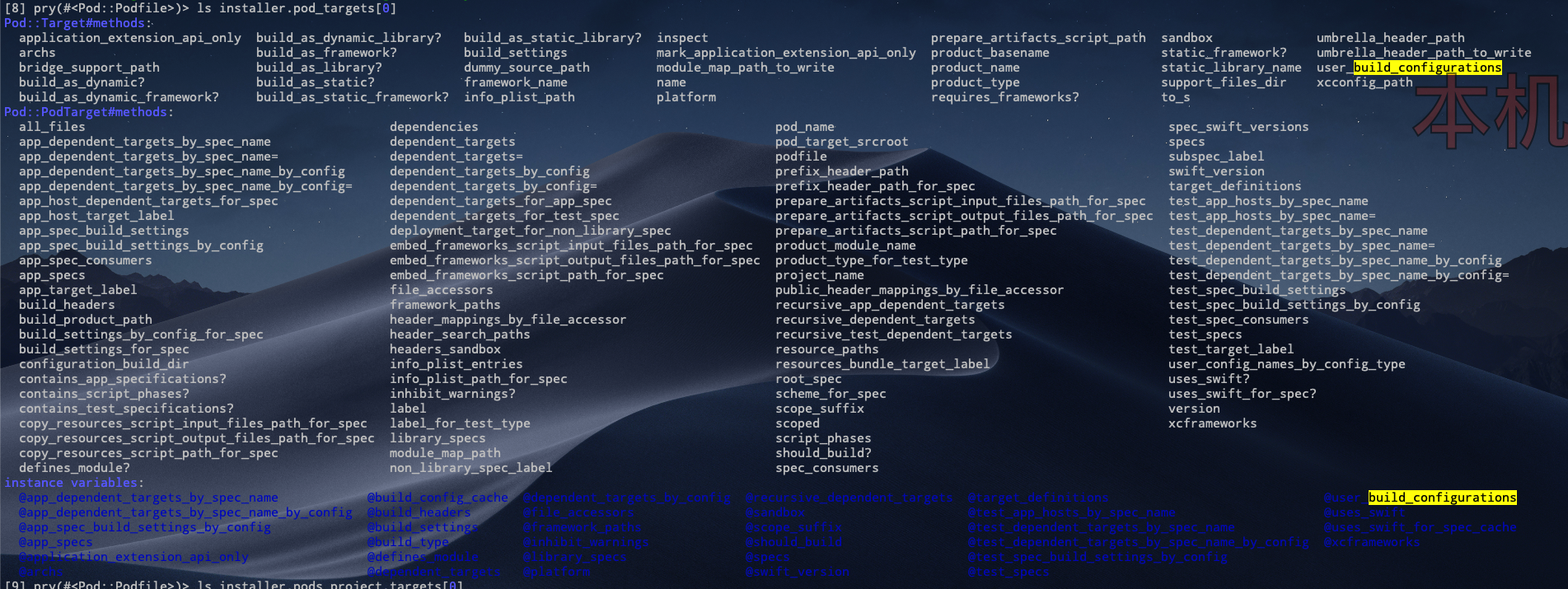

从上面两张图可以看出 pod_targets 数组中元素没有符合 build configuration 相关的实例变量或方法,而 pods_project.targets数组的元素则可以找到与build configuration高度符合的方法。
下面就只关注 pods_project 这条线了。调用改方法看其返回值是否符合预期

完美!拿到了工程的两个 configuration: Release 和 Debug。
如果再能拿到下面的 build settings就大功告成了,还是使用 ls 来进行探测一番
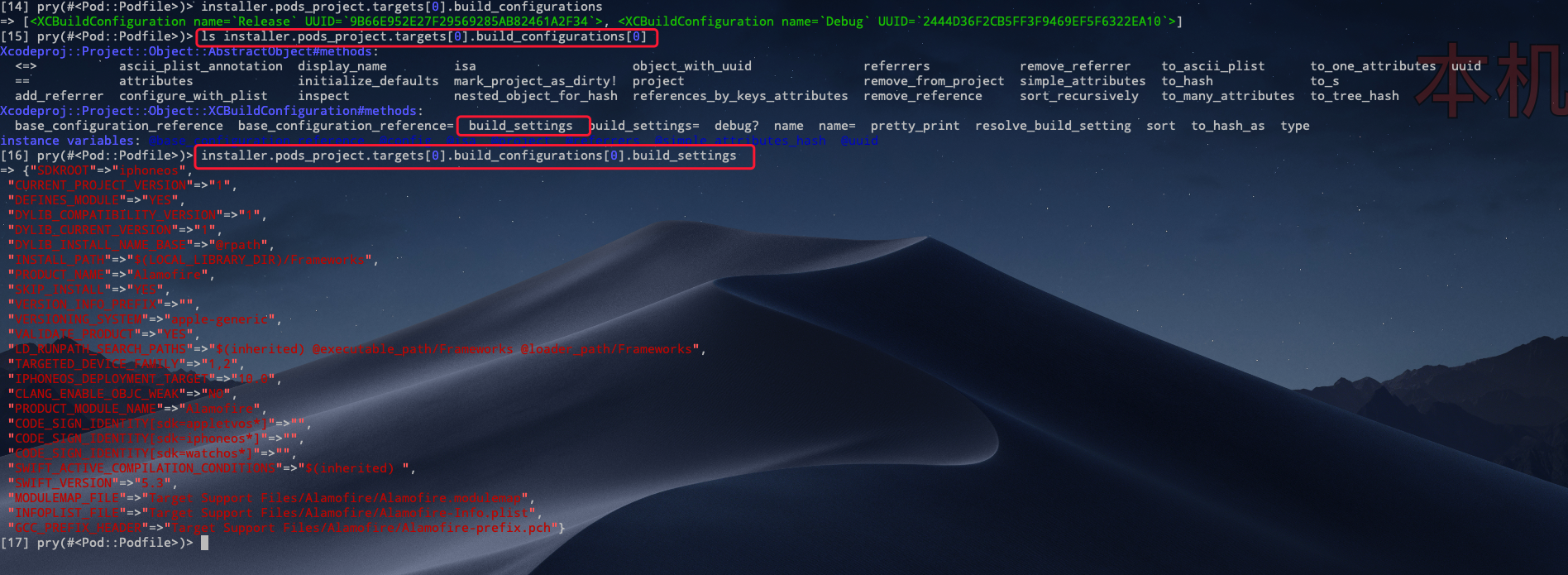
大功告成!成功拿到了 build settings。下面就可以根据 ruby 的语法写出上面 Podfile 中的那段代码了。
post_install do |installer|
  installer.pods_project.targets.each do |target|
    target.build_configurations.each do |config|
      config.build_settings['DEBUG_INFORMATION_FORMAT'] = 'dwarf'
      config.build_settings.delete 'IPHONEOS_DEPLOYMENT_TARGET'
      config.build_settings['ONLY_ACTIVE_ARCH'] = 'YES'
    end
  end
end
嵌套了两个 each, 改写一下:
post_install do |installer|
  installer.pods_project.targets
  .flat_map { |t| t.build_configurations }.each do |config|
      config.build_settings['DEBUG_INFORMATION_FORMAT'] = 'dwarf'
      config.build_settings.delete 'IPHONEOS_DEPLOYMENT_TARGET'
      config.build_settings['ONLY_ACTIVE_ARCH'] = 'YES'
    end
end